
Reader summary
Four points to keep
- Use the sheet to discover items, not to replace the live listing.
- Record the exact color, size, version and seller note before paying.
- Recheck the destination page because stock, pricing and options can change.
- Judge the warehouse result against the order record, not against memory.
What a LoloBuy spreadsheet actually solves
Most people do not begin with a perfectly documented marketplace URL. They begin with a picture, a product type, a short name or a recommendation from someone else. A LoloBuy spreadsheet turns that vague starting point into a browsable catalog. Categories help when the search is broad; a keyword search helps when the user already knows the item type; matched cards make it possible to open a specific destination instead of hunting through screenshots.
That is the real value: discovery and organization. A sheet can save time, surface products outside your usual search vocabulary and keep different categories in one place. It can also provide context such as a readable title and a clearly assigned image. None of those benefits prove that the seller still has the item, that a particular option will fit, or that the received product will match every promotional photograph.
Use the directory as the first layer of research. The live destination page is the second layer. The order record and warehouse photographs are later layers. Keeping those layers separate prevents a common mistake: treating an attractive catalog card as if it were a final quality verdict.
Start with the closest possible search term
Broad terms such as “shoes” or “hoodie” are useful for browsing, but they create a large review job. A more specific phrase—product type plus model, material, color or silhouette—usually produces a cleaner shortlist. If you know only part of the name, begin with the stable part rather than adding guessed words. Incorrect model names can hide the right result just as easily as a vague query can flood the page.
Try one controlled change at a time. Search the model first, then the category plus model, then a visual feature. This makes it easier to understand why the result set changed. When a category page is used, open several candidates in separate tabs and compare their option tables, seller notes and imagery. Do not decide from the first thumbnail that resembles the reference picture.
Community shorthand such as “W2C” usually means “where to cop”—in practical terms, the request is for a source or product link. A useful W2C answer therefore needs more than an image. It should lead to a page where the user can identify the seller, available options and current terms.
Preserve the source before the listing changes
LoloBuy’s public description says users can paste a product link to complete an order. That workflow makes the source address important. Save it before starting the order, together with a screenshot or short note showing the selected option. Marketplace pages can be edited, products can be removed and sellers can reuse a page for a different item. A saved link without a date or variant note may not be enough to reconstruct what you expected.
A simple order note should include the product-page address, seller name if visible, selected color, size, version or batch, quantity and any instruction that changes what should be purchased. If the listing uses coded option names, copy the code exactly instead of translating it from memory. If a seller photograph contains a measurement table, save that version of the table because it may later be replaced.
This record is not bureaucracy. It gives you a reference when reviewing the purchase status, communicating about an unclear option or comparing warehouse images. The few minutes spent documenting the listing usually save far more time than trying to explain an expectation after the source page has changed.
Read the option selector as carefully as the title
A single Chinese marketplace page may contain several colors, qualities, bundles or completely different products. The page title and first photograph often describe the family of options rather than the exact option that will be added to the order. Price ranges can also be driven by low-cost accessories or deposits listed beside the main item.
Open every selector and identify what changes. Check whether size and color are separate fields, whether the price updates with the option, and whether a bundle includes the pieces shown in the hero image. Look for seller notes about pre-orders, delayed dispatch, non-returnable items, missing packaging or version differences. Automated translation helps with orientation, but ambiguous conditions deserve a manual check before payment.
The safest test is to describe the selected option in one plain sentence: “one black jacket, size L, option code 03, with the detachable liner.” If the listing does not let you form an unambiguous sentence, the order is not ready.
Separate seller risk from shopping-agent service
There are two different decisions in a proxy-purchase order. One is whether the purchasing and warehouse service can process the order. The other is whether the marketplace seller will send the expected product. A smooth platform interface does not turn an unclear seller listing into a reliable one, and a well-reviewed seller does not guarantee that every option on the page is equally good.
Review the seller information available on the source marketplace: transaction history where visible, recent feedback, buyer photographs, repeat complaints and the age or consistency of the listing. Give more weight to evidence tied to the same product and option. Generic praise, copied promotional images and comments without order detail are weaker signals.
When evidence is thin, reduce the test size. A first order should be small enough that you can inspect the workflow without committing an entire haul to one unknown seller. That approach is slower than chasing the lowest displayed price, but it produces information you can actually use.
Treat prices as time-stamped, not permanent
A spreadsheet may show a reference price, but the live amount can move because the seller changes the listing, an option carries a different price, domestic delivery is added or a temporary promotion ends. Currency conversion and payment costs can also make the amount paid differ from a quick exchange-rate calculation.
Check the price at three moments: when shortlisting the product, when the exact option is selected and immediately before payment. Distinguish the item price from domestic Chinese delivery and from later international shipping. Combining those separate stages into one guessed total is a reliable way to underestimate the order.
Avoid claims that an item is the “cheapest batch” or “best value” unless the comparison names the same version, date and included pieces. A lower number may describe a deposit, a replacement part or a stripped-down option rather than the product shown in the main image.
Use images to identify, not to authenticate
The product cards on this site are paired with their destination item pages so that the visible image does not silently open an unrelated listing. That is an important quality-control step for a directory, but it is still only a link match. Seller images can be edited, heavily lit or reused across listings. They cannot prove what will arrive at a warehouse.
Look for consistency across the title, option selector, detail photographs and buyer images. If one section shows different hardware, proportions or packaging, record the discrepancy and ask which version the chosen option represents. For garments, compare the measurement chart rather than relying on a familiar size label. For footwear, confirm the tagged size system and whether the listing describes internal length.
Authenticity cannot be established from a spreadsheet thumbnail or a few general warehouse photographs. If authenticity matters, use authorized retail channels and evidence appropriate to that decision. A directory should never turn a visual resemblance into a guarantee.
Build a handoff note for warehouse QC
Before submitting the order, decide what must be visible when the item reaches the warehouse. The answer should be product-specific. For shoes, that might include the size tag, outsole, both lateral sides and any obvious shape difference. For a jacket, it might include the measurement tape across the chest, zipper, removable parts and the color under neutral light.
Write down the three or four checks that would change your decision. This produces a better review than trying to inspect everything at once. It also helps you notice whether the standard images are sufficient. LoloBuy’s public page states that warehouse arrivals are quality-inspected and photographed, but it does not publicly establish every photo angle or a universal number of free images. Check the current order interface before assuming a particular photo allowance.
When the photographs arrive, compare them with your saved listing and option note. Do not compare them only with an inspiration image from social media, which may represent a different seller or version.
A repeatable workflow from find to decision
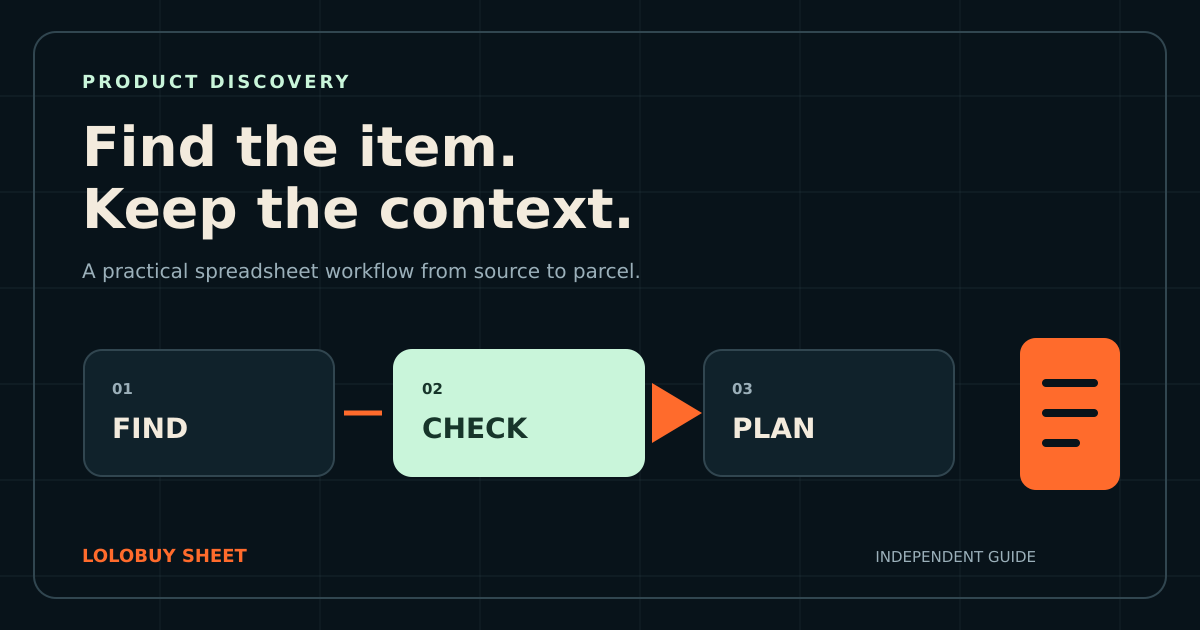
Begin in the spreadsheet with a specific search or a category. Open the matched destination page and confirm that the image, title and item belong together. Save the source listing, record the exact variant and read seller conditions. Estimate the complete purchase stage, including domestic delivery, without pretending that international freight is already known.
Submit only an unambiguous order. When the item reaches the warehouse, review identity first, then option, size information, visible condition and the few product-specific details that matter most. If something is unclear, act within the current order and seller time limits rather than waiting until parcel submission.
Plan the parcel only after warehouse measurements and available routes are visible. Recheck the live terms for services, fees and restrictions because they can change. This sequence may feel more deliberate than clicking through from a thumbnail, but it is exactly what turns a spreadsheet from a gallery into a useful buying tool.
- Find: use a precise term or a relevant category.
- Verify: open the live item and check every selected option.
- Record: save the source, date, seller and variant details.
- Inspect: compare warehouse evidence with the order record.
- Ship: use current packed data and available routes.
Continue your research
Open a matched product, then verify the live details
Product availability, options, prices and seller notes can change. Use the catalog to find an item, then make the purchase decision from the current page and your saved order record.